
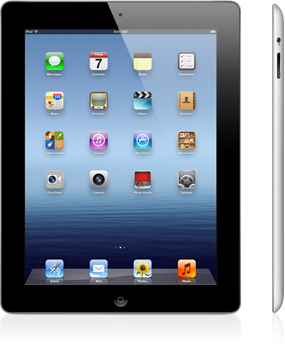
I acquired the original iPad in 2010 but by-passed the iPad 2 – didn’t think there were enough enhancements to justify the purchase. However, I did succumb to the “new” iPad this past Saturday. This time I decided to go with Verizon rather than AT&T – I would have done this on the original iPad but did not want the hassle of the required additional hardware to connect on 3G. While there are other arguments for my choice of Verizon – better network and larger 4G footprint – the primary reason is that in our area we have no AT&T coverage, only Verizon. Sure I have WiFi at home but when away from home in our area I like the idea of 3G coverage – no 4G here yet. Because of the high demand the Verizon store was out of all except the 16 gig model and getting the 64 gig model would take about two weeks. Not perfect, but I decided to go with it. Bear in mind Saturday was the 17th of March – I received my new iPad yesterday, March 21st, shortest two weeks in history but no complaints.
With a day’s use, my first impressions are all positive. The new retina display is all that it cracked up to be! There is a very perceptible difference between the new iPad and the original version – the iPad 2 had the same display as the original one. I have not been in a 4G area yet so cannot provide any first-hand experience but from all of the reviews it is something. Walt Mossberg, the technology writer for the Wall Street Journal, commented that he was seeing speeds higher than on most home wired networks, over 17 megabits per second, so I can’t wait to give it a whirl. One of the motivations for the purchase was the front-facing camera which will allow Skype communications on the iPad – something that was not possible on my first iPad. (The iPad 2 had a front facing camera but that alone was not enough for me to upgrade.)
My objective is to make the iPad my go to device when away from home so feel that a physical keyboard is a must. For the first iPad I acquired a Padacs keyboard case but found it of little use. The keys are a little mushy but worst of all there is no right shift key. If you are a touch typist and are looking for frustration try typing on a keyboard without a right shift key and two other keys – the up arrow and +/= signs – in that position! The Verizon store had what appears to be close to a perfect answer. The keyboard by Belkin is about a 1 1/4 wider than the previous one, the keys are responsive and most important of all there is a right shift key. This post is being written on the new iPad using the Belkin keyboard case. The Belkin case is the same cost as what I paid for the Padacs case, $99.00. This post is also the trial run for Apple’s word processing software Pages. Again at first blush Pages appears to be a very capable word processing program and this version is just for the iOS5 mobile devices. By the way, when you purchase Pages for $9.99 you can use the one license on other iOS5 devices like your iPhone or iPod. There is a Pages version for other Mac’s but the iOS5 iteration is optimized for mobile devices.
While one could argue that I do not need an iPad, for certain I do not need two. To that end I explored what to do with my now unneeded original 64 gig + 3G iPad. Verizon has a trade-in program and offered $175.00 but I found http://www.gazelle.com and they offered $200.00 plus they pay for the shipping. So as soon as I have the shipping box my old iPad is off to Gazelle. As an aside, there is a market for your unneeded or unwanted electronics. Previously I sold my earlier iPhone for what I paid when acquired. This works on phones because the carriers subsidize the purchase in exchange for a two year contract. This same dynamic does not work on the iPads because we purchase them without a contract – a month-to-month agreement.
As I accumulate more experience with the new iPad I will post additional comments but as said earlier it appears to be a winner.
 Loren Berg's Blog