
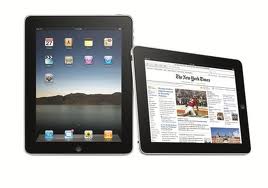
 In addition to my MacBook Air, another component of my metamorphosis from the PC world to Apple is my latest verison iPad. Many have asked the question whether or not the iPad can replace a notebook computer and my answer is a qualified yes. Qualified because it depends on what you need to accomplish. On my last two trips, one of three days and the other two days, I left the MacBook Air at home and traveled with the iPad. Had it been necessary for me to send an email to one of my larger groups the iPad would not have worked, no option for Outlook so no way to use Send Individually. (In my post of a couple of days ago I expanded on Send Individually.) For everything else that I needed to do; manage email, compose documents, view content and view attachments the iPad worked perfectly.
Let me explore a few of the components that make this possible. Two of the components are parts of the iWork family from Apple, Pages and Numbers. As you probably surmised Pages is a word processing application and Numbers is a spreadsheet application, both are Microsoft Office compatible. Another component that is most helpful, and one that I am using creating this post, is the built in capacity to dictate into applications on the iPad. While the speech recognition is not on the level available from Dragon’s Naturally Speaking, it is certainly more than adequate for rough draft work. Both Pages and Numbers are available through the App Store for $9.99 each which is certainly not a budget buster. By default both of the programs store your documents on iCloud making them available from any device that provides iCloud access. As long as you have a compatible printer printing from either application is painless. Also you can email documents directly from the applications.
I would be remiss if I didn’t discuss one other component that makes what I do on the iPad possible, my Belkin keyboard case. A couple of weekends ago, as part of a three day golf tournament, I managed two calcutta’s with 18 teams and fairly involved spreadsheets on the iPad using Numbers. Without the Belkin I may have been able to do it but no where as efficiently or easy on the operator.
With an increasing number of newspapers and magazines available in digital format the iPad is the perfect way to access this content to the point where for the most part I have cancelled the print subscription. While in most cases you can also use a laptop to access the content the form factor is not as ideal and in some cases the format available on the iPad is superior. Each morning I begin the day with a couple cups of coffee, my iPad and read three digital newspapers.
Am I ready to give up my MacBook Air? No but having said that neither am I willing too give up my iPad and find that I an using the iPad more and more.
 Loren Berg's Blog