
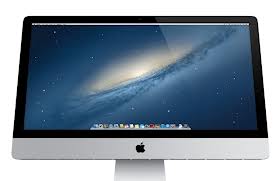
 This is my first blog post written on and about my new 21.5” iMac. The one I ordered is the standard configuration except for the Fusion drive. The Fusion drive pairs a 128 GB solid-state drive (SSD) with the standard 1-terabyte conventional hard drive. Once one gets used to the speed available with an SSD it tends to be addicting, my MacBook Air has a SSD, so I found the $250.00 upgrade an easy decision. The Fusion drive stores the boot and other system files on the SSD and as you use the iMac it moves those things, documents and programs, that you use most to the SSD substantially speeding access. Rather than the wireless keyboard and mouse I opted for the full size USB keyboard (I want the 10-key number pad) and the wireless trackpad. Here again the decision to go with the trackpad over the mouse was drive by my experience with the MacBook Air. There are many more options available with the trackpad over the mouse. With the new slimmed down iMac Apple opted to forego an internal optical drive. For some the lack of an internal optical drive might be seen as a negative but here again the MacBook Air does not have one and the same external USB drive, a $79.00 item, that I have for the Air works on the iMac. Also, less and less of what we load to our computers comes on a CD or DVD so we find fewer uses for an optical drive. Because the Apples store at Scottsdale Quarter does not stock the 21.5” model with the Fusion drive I ordered online. The good news is that I received it a week or more earlier than projected at the time I made the order.
Once unpacked and plugged in the process of setting up the iMac began. Because I use them on my iPad I had Pages and Numbers installed by Apple ($19.95 each) but for heavier duty work I wanted more robust options. Rather than acquire Microsoft Office for the Mac I opted for the one-month fee trial of the new Office 365 that is essentially a service that you purchase from Microsoft at a cost of $9.99 per month or $100 per year. In addition to the Office software the monthly fee includes 20 GB SkyDrive storage and 60 Minutes of international Skype calls. The Mac version is Office 2011 not the latest 2013 version available for Windows but one of the selling points for Office 365 is that for the annual fee you get upgrades. So when Microsoft brings out the new Mac version it will be upgraded. By the way the $9.99 monthly fee is for up to 5 computers, PC’s or Mac’s, so those of us with more than one machine the math really works. For instance the Home and Business version of Office for the Mac is $220 per machine. I will let you know how this works.
Once again I was disappointed with the Mac version of Quicken. I downloaded and installed the program and imported the data file. Everything worked fine until I attempted to reconcile with Wells Fargo. Wells Fargo does not support the latest version of Quicken – it does the two older versions – so uninstall and request a refund. Intuit offers a 60-day money back option. Mine lasted about 2 hours. So you may want to check with your financial institution before installing Quicken for the Mac.
Configuration continues as I have not made the decision as to installing Windows on this machine – the leader in the clubhouse is no as I have Windows running on the MacBook Air and only need Windows for two items, the aforementioned Quicken and the Send Individually plug-in for Outlook. As a part of the transition from the Windows world I setup a Dropbox account and moved all of the data files from the Windows machine. Dropbox works from any device including the iPad and iPhone. 2GB of storage is available from Dropbox free but I have quite a bit more than that so I sprung for the 100 GB option at $9.99 per month – see a pattern here? A side benefit of having your data files on Dropbox or other cloud storage is that you have a backup that is off site something that we should all do.
That’s it for today but as I move forward with this transition I will keep you posted.
 Loren Berg's Blog