
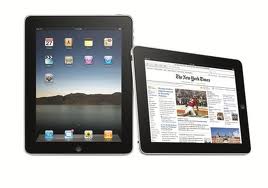
 It kind of crept up on me – how comfortable I have become with having only my iPad as a computing device when away from my office. It’s not like I don’t have options – there is a perfectly capable, one might say even more than perfectly capable – MacBook Air on my desk. This comfort was crystalized over the last couple of days. My wife had a number of appointments across the full morning and into early afternoon yesterday and wanted me along. The appointments started shortly after 7:00 a.m. and as I write this we are waiting for the last one – its 2:00 p.m. There were gaps and my presence was only required at the last one. Also I had two meetings scheduled in the morning, one using Fuze. For those not familiar with Fuze it is an online meeting facility that allows among other things screen sharing. Beside the two meetings I handled all of my email correspondence, retrieved an item from my Dropbox account and forwarded it on, drafted two recommendations and sent them on and am now drafting this blog post. By the way, I am drafting this post in BlogPad Pro which I recently acquired. The app seems quite capable and certainly has more features than vanilla WordPress. Enough for now but I will post a more complete assessment of the app once have more experience.
I suppose that one can find many reasons for this increasing comfort. The light weight is certainly a factor. Even with my Belkin keyboard case the iPad weighs much less than the MacBook Air. By the way, I doubt seriously that this transition would have occurred without the Belkin which unlike many iPad keyboard cases is designed such that you can use it on your lap – three strategically placed magnets hold the iPad in place and allow for three different viewing angles. Another might just be how much simpler some routine things are on the iPad, and on the iPhone for that matter. Take for instance sending a document via email. Rather than opening your email program, entering the address and hopefully remembering to include the attachment – we all forgot that more than once – in iOS one simply brings up the document, hits mail, enter the recipients address and send. Easier, quicker and you cannot forget the attachment – after all you started with it!
Are there things I cannot do on the iPad? Of course, but most of those are not an issue when away from the office. An example might be with banking. While I can follow my accounts using Quicken on the iPad I cannot write checks – an example of something I would not due when away from the office so not a negative. Another item, and one I struggle with trying to find a solution, is sending emails to my larger mailing lists. On the MacBook Air, I run Windows under Parallels, I use a neat add-in for MS Outlook called Send Indivually that does just that – sends one email at a time every 5 seconds or so – which avoids the issues with some ISP’s. So if anybody has discovered a similar solution for either the Mac or iPad please let me know.
All of us are familiar with how well the iPad works for consuming content but what has become increasingly clear to me is how capable the iPad is for regular computing tasks.
 Loren Berg's Blog