
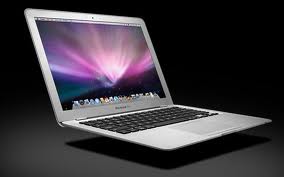
 As my MacBook Air is approaching it’s fifth birthday, and about to begin it’s sixth year, it occurred to me that I could, at any time, be faced with the prospect of either spending an uncharted amount repairing a five-plus-year-old computer or securing a replacement. Given those choices, I would find it most difficult investing in the current MacBook Air so I began to look around at the current options and came up with three.
- A new 13” MacBook Air
- A new 13” MacBook Pro with the Retina Display
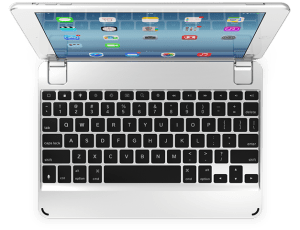
- An iPad Pro with the Brydge Keyboard (The Brydge Keyboard for the iPad Pro will not be available until May)
Probably not a wrong choice in the lot. Even looking at the comparative weights didn’t sort out much – MacBook Air 2.96 lbs., MacBook Pro 3.48 lbs. and iPad Pro 1.57 lbs. plus Brydge Keyboard 1.54 lbs. total 3.11 lbs. Some might wonder why I include the Brydge keyboard in my analysis? I have used the Brydge keyboard with my current iPad Air and cannot imagine having an iPad without one. In my humble, or un-humble as the case maybe, opinion the Brydge is hands-down the best keyboard for the iPad and the way I use the iPad a keyboard is a must.
 Even the cost is not a particular consideration. The MacBook Air with a 512 gb solid state drive and 8 gb of memory is $1,599.00. If I kick the processor up one notch, still not the level of the MacBook Pro, the cost increases to $1,749.00. Similarly equipped, but with a faster processor the MacBook Pro is $1,799.00. The iPad Pro with 128 gb solid state drive – the largest available – is $1,079 and the new Brydge keyboard will run $189.00 for a total of $1,268.00, less than the others but with less capability.
Even battery life didn’t provide much of a discriminator. The MacBook Air has an advantage; 12 hours vs. 10 for the MacBook Pro and 9 for the iPad Pro but any have more than sufficient legs for most of us for the day.
To be fair, I probably should have included a MacBook Air with slightly more modest specs – outfitted with a 256 gb solid state drive and 4 gb of memory the price drops significantly to $1,199.00. Pumping the memory to 8 gb adds only $100.00. I add this as to not scare off potential buyers with my fully specced out option. The 256 drive and 4 gb of memory is the configuration of my current MacBook Air that has served me well for five years. Having said that, the drive and memory are fixed and cannot reasonably be upgraded meaning careful consideration is the watchword of the day.
So the winnowing process begins. Right off I looked at a comparison between the MacBook Air and the iPad Pro and the iPad Pro came out the loser. While they are roughly the same weight the MacBook Air has substantially more capability. I will still have my iPad Air, and by the way use it a lot, so still can do those things that I prefer on the iOS system, all be it with a smaller display. Apple has made giant strides with iOS but for some applications and projects the options on iOS do not compare with OS X. Even factoring in the cellular capability on the iPad Pro, something not available on the MacBook Air, was not enough to make the iPad Pro a winner. Wi-Fi access is now almost ubiquitous and even where it is not available I have the option of setting my iPhone us as a hotspot which has the benefit of bypassing the insecurities typical of public hotspots.
Now left with the choice between the MacBook Air and the MacBook Pro things become more difficult. Balancing the one-half pound difference in weight against more power, more ports and the Retina display my current assessment is that the MacBook Pro will be the choice. But having said that, the margin is razor thin and think either could and would be a winner. Writing this ahead of Apple’s event on the 21st of March I suspect leaves open the possibility that Apple will come up with something that is a game changer, but that is the risk we run with technology.
I would be remiss if I did not remind all to maintain full backups of our computers. Computers are more reliable than before but they do fail and once they fail it is more often than not too late to get your data back. I keep two backups at home and one online. May sound like a belt and suspenders approach but if something catastrophic happens to the house the backups at home are probably toast as well.
 Now for a totally different subject. My transition from the PC world to Apple is total except for one item. And this item is important enough that my desk contains my old 18” HP laptop. Sperry Software has an add-in, Send Individually, for Outlook for Windows that allows sending email to multiple recipients without running into your internet service provider’s maximum number. As a bonus, it only shows the individual recipient’s email address, not the entire group. It is not something I use every day but do often more than once a week and have not been able to find anything for either Outlook for Max or Gmail that accomplishes this function except for things like MailChimp which get a little messy for more personal correspondence. So if any of you have found something please let me know so that I can free up some desk space.
 Loren Berg's Blog