Having Surgery or a Procedure? Warning – Medicare Reimbursement May Not Be What Your Are Expecting!

Did you know that just because you spend the night in the hospital that your surgery or procedure may not be considered inpatient?  Also, did you know that the difference in Medicare reimbursement between inpatient and outpatient surgery is substantial?  Like the difference between $225.00 (inpatient) and a 25% copay (outpatient) which in my case amounted to the difference between the aforementioned $225.00 and over $2,000.00! I did however learn a new term – Outpatient with Observation. I was told that even if I spent two nights in the hospital my procedure would be classed, and billed, as outpatient. It made no difference that the surgeon told me ahead of time that I would be in the hospital for one night and that I did spend one night in the hospital.

A word to the wise if you are on Medicare (I do not know if other types of insurance make the same distinction but you should probably check), before you begin any elective surgery or procedure that occurs in the hospital, and where you will be in the hospital for one or two days, try to make certain that the surgery or procedure will be classed as inpatient if you can.That way you will not get the wake up call I received.

Why Does The NTSB Feel Hands-Free Cellphone Use Is More Distracting Than Talking To A Passenger?

Here we go again – The National Transportation Safety Board (NTSB) is recommending a total ban on the use of electronic devices by drivers.  There is no doubt that texting while driving is dangerous. But I have a difficult time with the logic that hands-free use of a cellphone is more dangerous than talking to the person in the front seat and I would suggest that hands-free cellphone use is less distracting than talking to the person in the back seat. (Every watch a driver tilt their head toward the back while talking to someone in the back seat?)

But those activities, hands free-cellphone use and talking to passengers, pale when compared to other activities that we routinely see on the road.  Let me begin with my all-time favorite – applying makeup or doing hair while driving. This is over the chart distracting as it requires the use of the hands, sometime both, and worse requires the driver to look in the mirror. How about someone dealing with unruly children in the back seat?  Or driving with Fido or some other pet in their arms?  Or reading while driving – that’s right it is not uncommon to see someone with a book or paper resting on the steering wheel while driving.  There are other activities that are probably more distracting than hands-free cellphone use – unwrapping the burger, eating, trying to clean the ketchup or mustard that you spilled on your shirt and I suspect that you can add a few of your own.

Another side of the hands-free issue is that it is unenforceable.  If the driver has nothing in their hands – using a Bluetooth headset or has their phone synced to their car – how is any law enforcement officer to know they are talking on their cell phone?  Few things erode our confidence in governing bodies than when they pass unenforceable laws and regulations. Texting while driving is already banned in many states, and I suspect that trend will continue.  But let’s not throw out the baby with the bathwater.  Does it not make more sense for us to focus our efforts on all forms of distracted driving rather than an outright ban on hands-free cellphone use?

Another Book Review From A New Author – Investigative Journalism, the CIA and Much More

Generally speaking I shy away from first-time novelists but after reading the “Click to Look Inside” feature on the Amazon website I decided to give Hunter: A Thriller a try. While the author, Robert Bidinotto, is a first-time novelist he is an accomplished journalist and author and this work clearly demonstrates his skill. More about the author later. The protagonist in Hunter: A Thriller is Dylan Hunter a freelance investigative journalist with a past.  As the story progresses the many sides of Dylan Hunter unfold in some interesting and unexpected ways.  Fans of Lee Child’s Jack Reacher and Vince Flynn’s Mitch Rapp will find a lot to like here.  The supporting cast of characters, even some of the minor characters, are colorful and well developed by the author.  Wait until you read the description of Wonk, Hunter’s researcher.  Hunter’s developing love interest, and the other principal character in the novel Ann Woods, is a CIA agent making for some interesting tie-ins.  Another key character, Alexandria Virginia police Detective Cronin’s parting comment to Hunter “Stay the hell away from Alexandria” might provide more insight into the interplay here.

As noted earlier the author, Robert Bidinotto while a first-time novelist is an accomplished journalist and author and the following is from About the Author in the book.

Robert Bidinotto earned a national reputation as an authority on criminal justice while writing investigative crime articles as a former Staff Writer for Reader’s Digest. His famous 1988 article “Getting Away with Murder” stirred a national controversy about crime and prison furlough programs during that year’s presidential campaign. It was named a 1989 finalist for a National Magazine Award from the American Society of Magazine Editors.

Bidinotto is author of the acclaimed book Criminal Justice? The Legal System vs. Individual Responsibility, with a foreword by John Walsh of the “America’s Most Wanted” television show, and of Freed to Kill–a compendium of horror stories exposing the failings of the justice system. He drew upon this background and his personal experiences with crime victims to write HUNTER: A Thriller.

He received the Free Press Association’s Mencken Award in 1985 for “Best Feature Story,” and he has been honored by the National Victim Center and other victim-rights organizations for his outspoken public advocacy on behalf of crime victims. As a magazine editor, in 2007 he won the industry’s top honor for editorial excellence — the Folio Gold “Eddie” Award.

I thoroughly enjoyed the book and you might want to give it a try. As a bonus you can read the first few chapters on the Amazon website before making a buying decision.  If you like the beginning the novel is available for the Kindle at $3.99 from Amazon and also in paperback. Remember, you can download the Kindle reader for virtually any device.

Update on Running Windows on a Mac

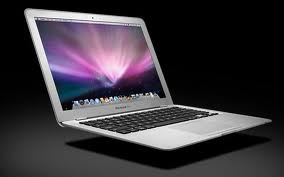
It’s been a little over 4 weeks since I installed Microsoft Windows on my MacBook Air and things are going well.  I did encounter a couple of issues, more about those a little later, but with the help of Parallels Technical Support they were quickly rectified. Parallels, as you may recall, is the program that allows running Windows along side of the Macintosh operating system without having to reboot to switch between programs in the two operating systems. This, by the way, has run smoothly and I always have programs from both operating systems in the Dock. It is easy to determine which are Windows programs as Parallels places two parallel, imagine that, red bars on the Windows programs.

One of the issues referenced above was with Outlook and the other with an add-in program for Outlook.  In Outlook if one uses the “Delete” key to clear an email the action kicks you to Contacts and does not delete the email.  The fix, one that Parallels Technical Support demonstrated, is to use “Command D” and this works fine. The add-in issue was with Send Individually – a program that I use to send emails to groups without either hitting my ISP’s “Spam” limit for one email or having to split the groups into smaller groups.  One call to Parallels Tech Support resolved the issue and I have experienced no problems since.  One of the key advantages to Send Individually is that each recipient only sees their name and email address.  No need to send it to yourself and use bcc. or other workaround.  If you use Microsoft Outlook and regularly send emails to groups I highly recommend this Outlook add-in.  By the way, Send Individually was one of the primary reasons that I decided to run Windows on my Mac. At this point, Sperry Software – the provider of Send Individually – does not have a version of the add-in for the new Outlook for the Mac and for me being able to send to groups from the MacBook Air was key. As an aside, I have heard that a version of Send Individually for Gmail might be in the works.

Everything else is working as advertised. As noted in an earlier post, the cost for Parallels and Windows was about $300. Had I not installed Windows on the MacBook Air I would have purchased the Mac version of Dragon Naturally Speaking for $100. However, when I purchased Naturally Speaking for the PC, I received a two machine license and was able to install the Windows version on the Mac reducing my overall cost costs for the project.

The MacBook Air made it’s first road trip over Thanksgiving week and take it from someone that has traveled many many miles with a laptop or notebook computer over the years, having this much capability in a three pound package is remarkable.  (I go back to the time when a 13 pound laptop was considered light.)  I was able to not only stay up-to-date and handle correspondence but also sent an email to one of my larger groups, As noted earlier Send Individually is one of the primary reasons that I wanted to run Windows on the Mac.  So no second thoughts either about purchasing the MacBook Air or the decision to install Windows.

New Book – David Baldacci’s Zero Day

I just finished this new one from Baldacci and loved it.  Here is the 10 second preview from Baldacci’s website.

“John Puller is a combat veteran and the best military investigator in the U.S. Army’s Criminal Investigative Division. Called to investigate a brutal crime in West Virginia coal country, he soon realizes that nothing he’s seen in this small town, and no one in it, are what they seem. Facing a potential conspiracy that reaches far beyond the coal country hills, he is one man on the hunt for justice against an overwhelming force.”

For those of you familiar with the Jack Reacher character in Lee Child’s books, Puller is Reacher with a real job but the roughly the same modus operandi.  It has an interesting end and see if you can catch the clue.  I did not.  Enjoy!!

The Adventures of Installing and Running Windows on a MacBook Air

Well, I have taken the plunge!  When I are acquired the MacBook Air I did it with the intention of using the MacBook Air as my primary computer. After doing the research and looking at the kind of things I would be doing it became crystal clear that I would have to run Windows on the Mac. There are some programs, plus a couple of add-ins for Microsoft Outlook, that either aren’t available in the Mac format or the implementation is different enough that I was uncomfortable with the Mac option. The primary example of the later is Quicken.  I went as far as purchasing Quicken for the Mac, installing it and converting the data file but in the end decided that it would not work and returned the Mac version. This was easy as Quicken for the Mac comes with a 60 day return option.

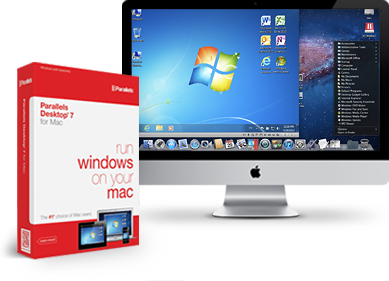
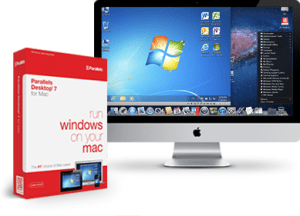
Having made the decision that it was necessary to run Windows on the Mac I had to determine which option would give me the flexibility that I wanted. While there are other options, the two that it came down to were; Boot Camp and Parallels. Boot Camp is free with the Mac operating system 10.6 or later, but has the disadvantage of requiring a re-boot to switch between the Mac operating system and Windows. Parallels, on the other hand, allows you to run Mac and Windows programs side-by-side and does not require a re-boot as you switch between programs in the two operating systems. This option also has the advantage of allowing you to drag and drop files between programs running in either Windows or Mac.

Once the decision on how to proceed was done, I settled down to the actual work of implementing the integration. I purchased a copy of Parallels at the Apple Store but as it turned out I could just as well have downloaded it from the net.  When I ran the Parallels disk a pop-up suggested that a later version was available and did I want to download it. So I could have eliminated the trip to the Apple store and would have ended up in the same place. Installing Parallels on the Mac girl was a nonevent and once Parallels was installed I purchased the necessary copy of Windows through the Parallels system. Didn’t save any money but didn’t have to run the run around to acquire a copy of Windows. As an aside, early on in the process I found out was that it wasn’t going to be cheap. Parallels is $80 and Windows is another $200 bringing the out-of-pocket to almost $300 when you throw in a little sales-tax. However running Boot Camp is only $80 less as you still have to buy a copy of Windows. While Installing Parallels and Windows proceeded quite smooth it did take a little time to work out the nuances of working with the two operating systems running side-by-side on one machine.  Having said that, all in all the entire process was pretty uneventful.

So far I have installed the Windows versions of; Microsoft Office, Evernote, Google Chrome, Skype, Dragon Naturally Speaking (by the way I am dictating this blog using Dragon Naturally Speaking on the Mac),Quicken and two Microsoft Outlook add-ins. One of the add-ins allows me to send e-mails to groups but they are individually addressed (I wrote about Send Individually in an earlier post) and the other, gSynict, synchronizes contacts and calendar entries between Outlook and Gmail . To this point, the only two issues that have poped up are (1) with the keyboard in Microsoft Outlook and (2) getting the print function working from the Windows side. In Outlook, the delete key does not delete the highlighted e-mail message and shift delete does not permanently the email. I haven’t taken the time yet to research if there is a way to reconfigure the keyboard but even if there isn’t the workaround is not a big issue. Printing across the network from the Windows side is an issue of getting the port issues straightened out.

It is important to remember that even though we are on a Mac we are in fact running Windows and therefore need to protect against viruses and malware.  As luck would have it, I had one license left on my three-pack from Norton and installed Norton 360.  I am a Norton fan but there are may other options including; McAfee, Kaspersky, AVG and many others.  The important thing is that when you are running Windows on a Mac that you have something running to protect your files.

I suppose the question is what were the deciders between Boot Camp and Parallels? If one is only going to use a Windows program once in a while, Boot Camp is probably the way to go. This option has the advantage of saving the $80 cost for Parallels. However if, like me, you want the flexibility to move between programs in the two operating systems without having to reboot the computer, and be able to drag-and-drop files between the two operating systems, the additional $80 for Parallels is pretty easy to justify. Would I go out and buy a Mac so that I could run Windows on it – No.  However, faced with deciding between a MacBook Air and one of the new ultralight Windows computer, the MacBook Air was one of the easiest decisions that I have made. The Windows computers might catch up but for right now the MacBook Air in my opinion is the way to go even with the proviso that I was going to have to run Windows in addition to the Mac operating system.  This coming from someone that got his first PC the day the IBM PC came out in 1981 and has used a PC since.

The next project is to move data to the Cloud – probably iCloud. I want to be able to access the current version of all files from whatever machine I am using and not have to mess with making transfers, carrying USB drives or any of the other ways of keeping files current.


Do You Use or Are You Thinking About a Bluetooth Headset? If So – Read On

Over the years I have used Bluetooth headsets with my cell phones and while some have been OK none have really hit the mark. The last one in this line was a Jawbone that while it worked well from the audio standpoint; it was somewhat uncomfortable to wear and had the anoying habit of working loose from my ear.

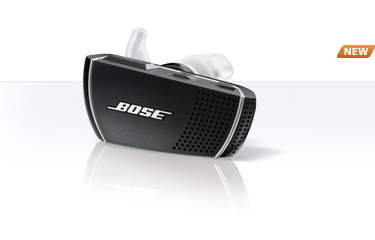
Now comes the new Bose Bluetooth Headset, Series 2. It has been in my ear most of the day and is both comfortable – I almost forgot I had it on and headed for the car where I already have Bluetooth connectivity – and has not once even felt loose. The call quality is top notch on both ends plus the technology in the headset does a great job of cancelling out background noises. It even has technology that adjusts the volume level to compensate for outside noises. In a marked departure from other headsets that I have used the headset comes in either right ear or left ear configurations and might well be the reason that it fits so well. There are three different sized earpieces that come with the unit to further customize the fit.

I purchased mine directly from Bose as they offer a 30-day satisfaction guarantee. The ability to return the headset if it did not work out – I have enough of them in the drawer – was a prime consideration in deciding on purchasing the item directly from Bose. With a price of $149.95 the headset is at the top end price wise, but then none of the other top end Bluetooth headsets are bargain basement specials either. The URL for the Bose Bluetooth Headset Series 2 website is http://bit.ly/nwo5Fo. So, if you are one that uses a Bluetooth headset, you may want to give this one a try.